


 Insurance Flow
The form fills itself in.
Your client answers plain questions. What comes back is the actual ACORD — a real PDF, the real layout, the answers in the right boxes, ready to send to an underwriter.

ACORD forms fight back
An ACORD is not an ordinary PDF. Underneath, the common ones are built on an older Adobe format that most software simply cannot write to — you can read the form, but the moment you try to save it with anything filled in, the file breaks.
That is the real reason so much of this industry still re-types answers by hand, or prints, writes and scans. It is not stubbornness. The tools genuinely do not work.
So we built one that does. Insurance Flow has its own form-filling engine, written for exactly this problem, and it has been run against real ACORD forms rather than tidy samples.
What it gets right that a mail-merge would not
Filling a form is only half of it. The awkward parts are what decide whether an underwriter can actually read what you send.
Tick boxes that actually tick
Different forms record a ticked box differently — and getting it wrong leaves the box blank with no warning. The engine works out how each individual form expects it, per form, every time.
It looks filled in wherever it is opened
A classic failure is a form that reads perfectly on the machine that made it and arrives empty at the carrier. The output is written so the answers show up in any PDF reader, including the one your underwriter is using.
It tells us when a box did not match
If an answer has nowhere to go on that particular form, that comes back as a reported problem rather than quietly vanishing. Silence is the expensive failure here.
Bonds too
Surety bond applications are a different shape again — a few boxes, a bond amount, an obligee, and personal credit details. Those are handled as their own category rather than bent into a commercial form.
Four steps, and only one of them is yours
- 1 The client answers
- On a link, on their phone, in their own time. Plain questions, not form-speak.
- 2 You fill the trade gaps
- Class codes, limits and the questions a client could never answer are marked as yours and were never shown to them.
- 3 The forms are generated
- Every application on that client produces its own filled PDF.
- 4 You send it
- You review it and it goes to your carrier, your way. Nothing leaves the building on its own.
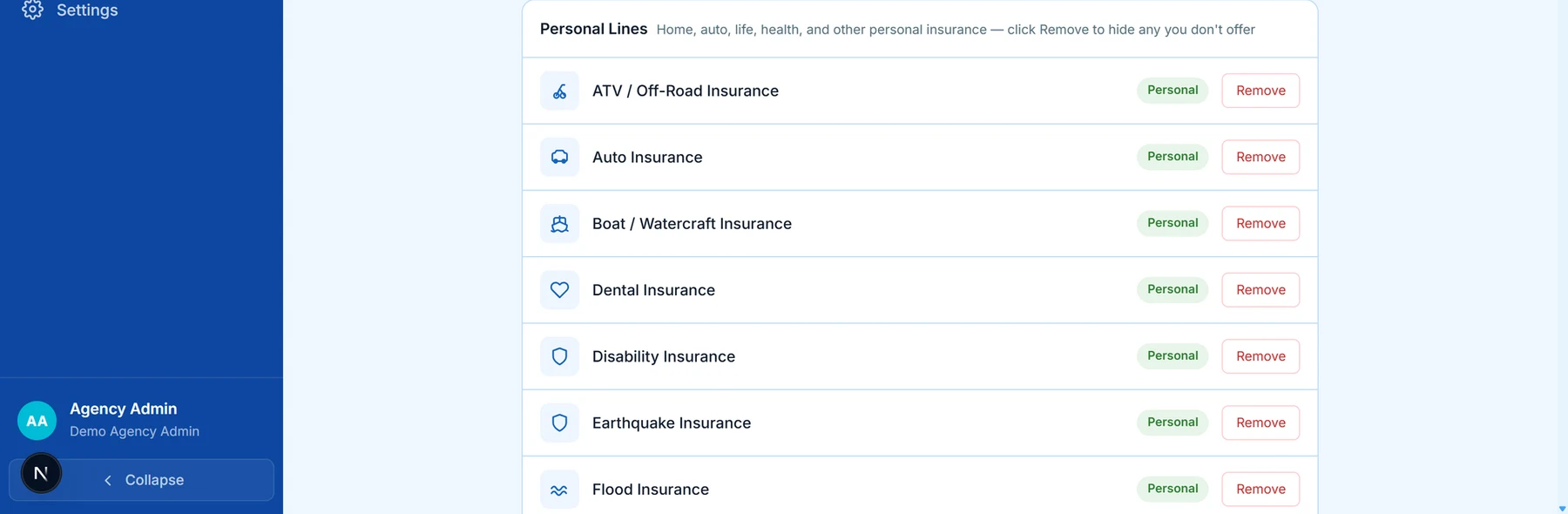
Each line of business carries its own form. Turn a line off and its form goes with it.
A note on what is not built yet
We would rather tell you now than after you have signed something.
Submissions do not push straight into a carrier’s system, and the big scheduled tables — a long schedule of hazards or a fleet of vehicles listed row by row — are not yet part of the form builder. Both are known, both are wanted, and neither is pretended.
Everything else on this page has been run against real forms.
Put one of your own forms through it
Start a free demo agency, fill in a client, and look at what comes out the other end. A week, no card, nobody in the room.