

Google Ads, from brief to live campaign.
A sequence of AI agents does the research, builds the structure, writes the copy and watches performance after launch. You approve what actually goes live.
Which one are you?
Two layers: build it, then keep it working
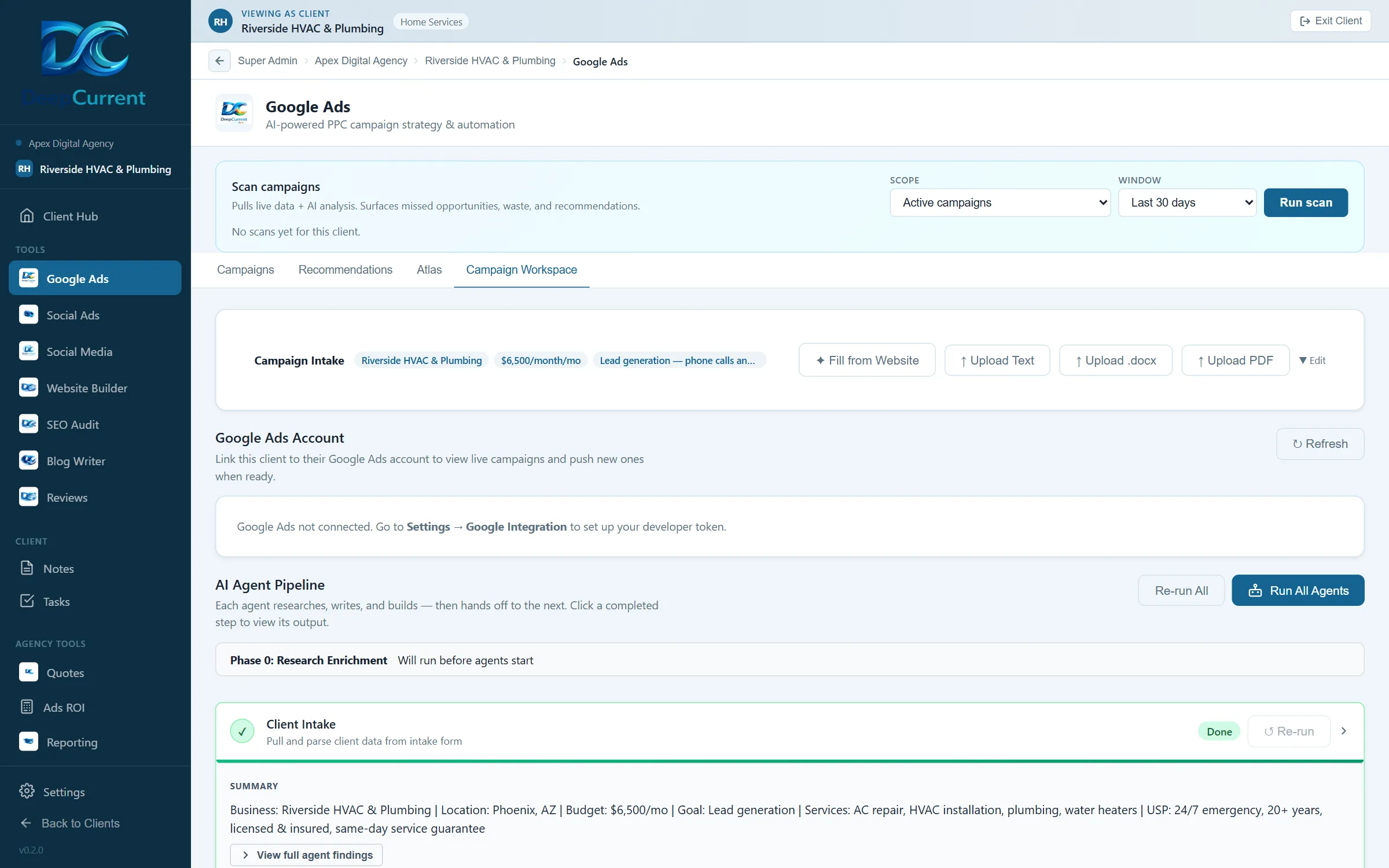
Before a campaign launches, a coordinated run of AI agents turns a client brief into a complete campaign package — audience research, keyword sets, campaign structure, ad copy and a budget forecast. After it is live, the platform reads real performance data from the Google Ads API and surfaces optimization suggestions in a queue for you to accept or reject.
Ads you can run without an agency retainer
Running Google Ads yourself usually means guessing at keywords, writing ads in a box with no idea what good looks like, and finding out three weeks later that the budget went on the wrong searches. This does the research first, builds the campaign properly, and then keeps reading the results so you are not the one interpreting a dashboard every week. You still approve everything before it spends a penny.
What you get
Brief to campaign package
Reads the client intake — business, goals, budget, audience, locations, tone — and carries that context through every agent that follows, so the ad copy matches the business rather than the keyword.
Keyword and audience research
Builds keyword sets with match types and negatives, grouped into a campaign structure that makes sense to manage rather than one enormous ad group.
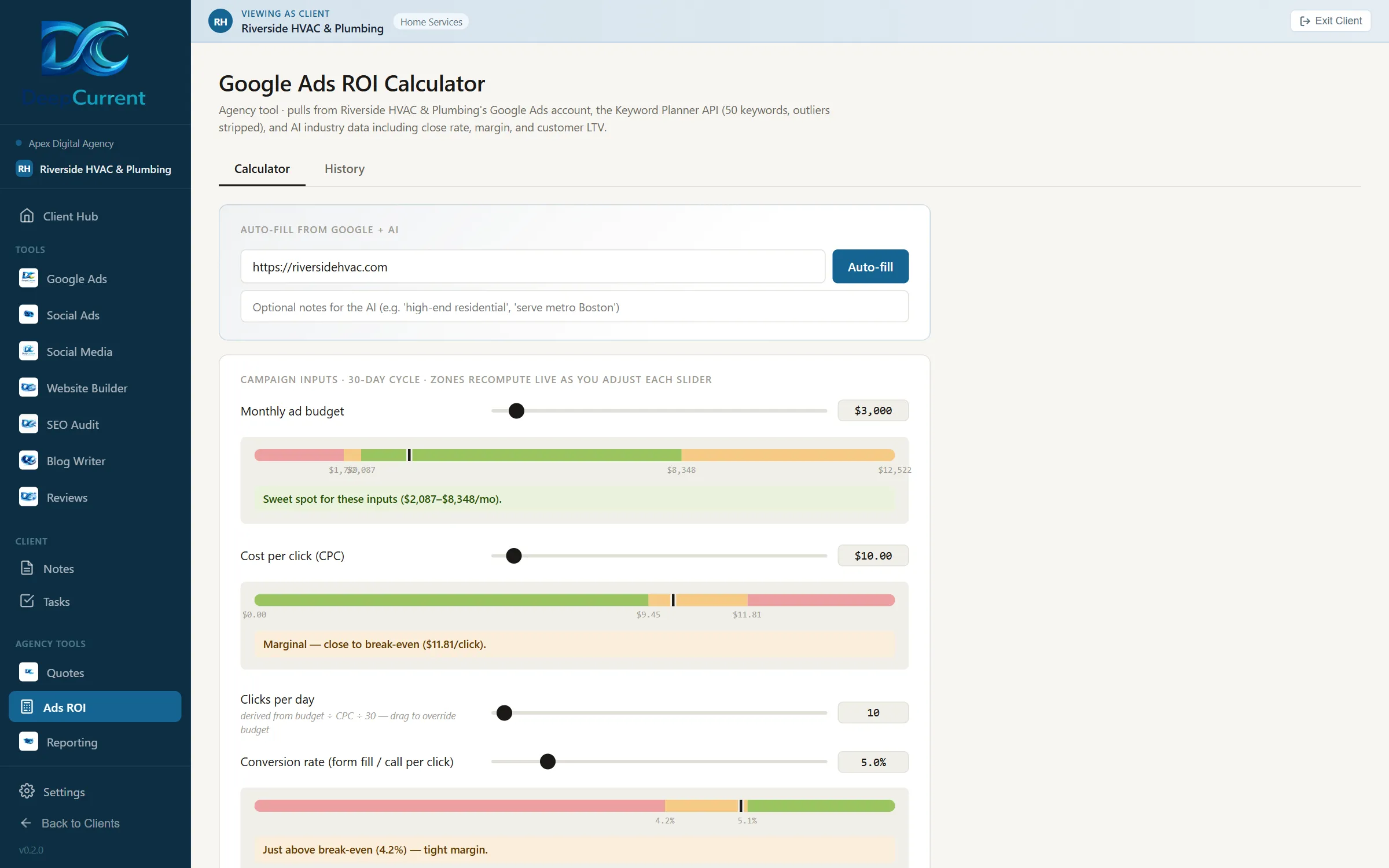
Forecasting before you spend
Projects what the budget should return at the researched cost per click, so the conversation with the client happens before the money goes out rather than after.
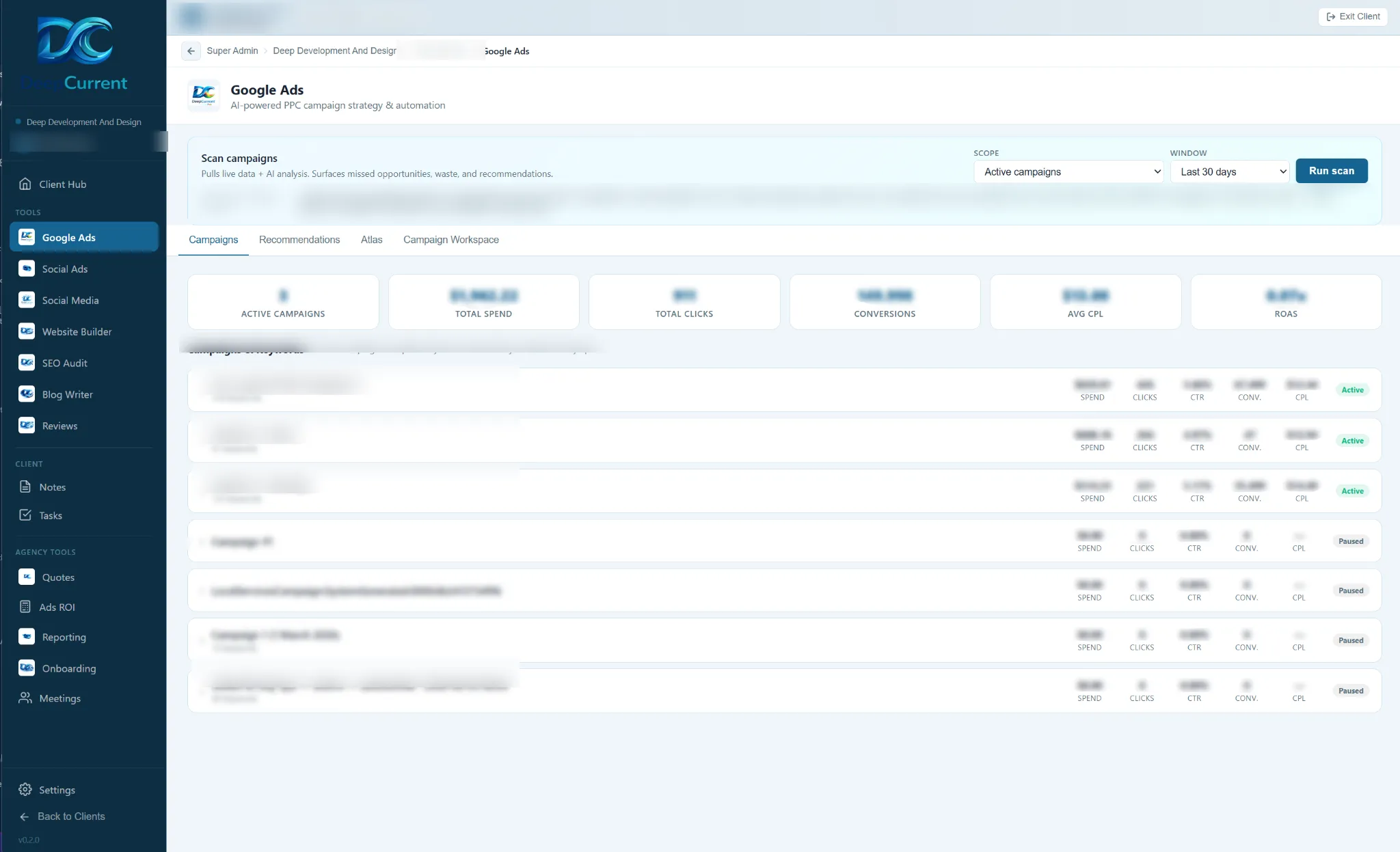
Optimization queue
Reads live search terms, costs and conversions, then proposes bid, budget, keyword and negative-keyword changes. Nothing is pushed to the account until you approve it.
What it actually looks like
Start to finish
Connect the account
Link your Google account and the client account. The platform reads what it needs; you grant the access and can withdraw it.
Run the pipeline
Agents run in order, each reading the last one’s output, producing research, structure, copy and a forecast.
Review everything
Every output is editable. Regenerate a section, rewrite a headline, or drop a keyword group before anything leaves the platform.
Push and monitor
Approved campaigns go to Google Ads through the API. After launch the platform keeps reading performance and proposing changes.
What it connects to
Named plainly, because "integrates with your stack" tells you nothing. This module talks to:
- Google Ads — campaign, keyword and search-term data, and pushing approved changes
- Google Sheets — reading client intake
You approve each connection through the provider's own sign-in, and you can revoke it at any time. More on how data is handled →
The other modules
Every module works from the same client information, which is the point of them being in one place.
Want to see it running?
A walkthrough on a real account beats any description of one. No pitch, no commitment.